UniFi Protect third party cameras with 3rd party camera motion detection and person alerts
- Checked against Ubiquiti's own help center and US store
- Written by a detection product that works beside Protect
Interior, after hours
Fixed camera, low light, two subjects
Analysing the clip
Clip
Decoded in your browser. Your video is never uploaded.
Sets the luma delta threshold and the smallest region that counts.
Kills the one frame flicker that no operator wants paged about.
Exclude zone
Put it over the road, the tree, the neighbour's window. Events inside it stop alerting.
The frame an event was found on shows up here.
Nothing selected yet
Hover a row in the event table to preview its frame, click it to hold the frame and jump the clip there.
- Length
- 0.0s
- Confidence
- 0%
- Area
- 0.0%
0
Motion events found
0
Dropped by zone
0
Dropped, too short
0
Alerts you would get
| # | Start | Length | Class | Conf. | Area |
|---|
Reading the clip. Events appear here as they are found.
Get these alerts from your own cameras.
UniFi Protect third party camera support, feature by feature.
From Ubiquiti's help article on third party cameras in UniFi Protect and its AI Port FAQ. Third party adoption arrived in Protect 5.0.
Live view and playback
- Protect alone
- Yes, HQ and LQ streams
- Protect with an AI Port
- Yes
- Protect with MotionDetection
- Yes, Protect keeps recording
Motion events
- Protect alone
- Only if set up on the camera and sent to Protect
- Protect with an AI Port
- Yes, from the AI Port
- Protect with MotionDetection
- Yes, our own motion model
Person, vehicle, animal detection
- Protect alone
- No
- Protect with an AI Port
- Yes
- Protect with MotionDetection
- Yes, plus package
Face and license plate recognition
- Protect alone
- No
- Protect with an AI Port
- Yes
- Protect with MotionDetection
- No
PTZ control and audio
- Protect alone
- Yes, audio is transcoded on the console
- Protect with an AI Port
- Yes
- Protect with MotionDetection
- Not involved
Multi sensor cameras
- Protect alone
- One stream only
- Protect with an AI Port
- Not wide aspect models
- Protect with MotionDetection
- Each sensor stream separately
4K cameras
- Protect alone
- Yes
- Protect with an AI Port
- One camera per AI Port
- Protect with MotionDetection
- Yes, from the sub stream
Alerts by class to Slack and email
- Protect alone
- No, motion only
- Protect with an AI Port
- Through Protect notifications and Alarm Manager webhooks
- Protect with MotionDetection
- Yes, plus webhook
Extra hardware
- Protect alone
- None
- Protect with an AI Port
- One AI Port per 1 to 3 cameras
- Protect with MotionDetection
- None
| Feature | Protect alone | Protect with an AI Port | Protect with MotionDetection |
|---|---|---|---|
| Live view and playback | Yes, HQ and LQ streams | Yes | Yes, Protect keeps recording |
| Motion events | Only if set up on the camera and sent to Protect | Yes, from the AI Port | Yes, our own motion model |
| Person, vehicle, animal detection | No | Yes | Yes, plus package |
| Face and license plate recognition | No | Yes | No |
| PTZ control and audio | Yes, audio is transcoded on the console | Yes | Not involved |
| Multi sensor cameras | One stream only | Not wide aspect models | Each sensor stream separately |
| 4K cameras | Yes | One camera per AI Port | Yes, from the sub stream |
| Alerts by class to Slack and email | No, motion only | Through Protect notifications and Alarm Manager webhooks | Yes, plus webhook |
| Extra hardware | None | One AI Port per 1 to 3 cameras | None |
The short version: Protect is a good recorder for an ONVIF camera and a poor alarm. Ubiquiti's own wording is that motion detections, PTZ and audio are supported on third party cameras and "other advanced features are not supported." Smart detections, the filters that make Protect alerts useful on UniFi cameras, are the advanced features.
UniFi Protect ONVIF motion detection is whatever the camera sends.
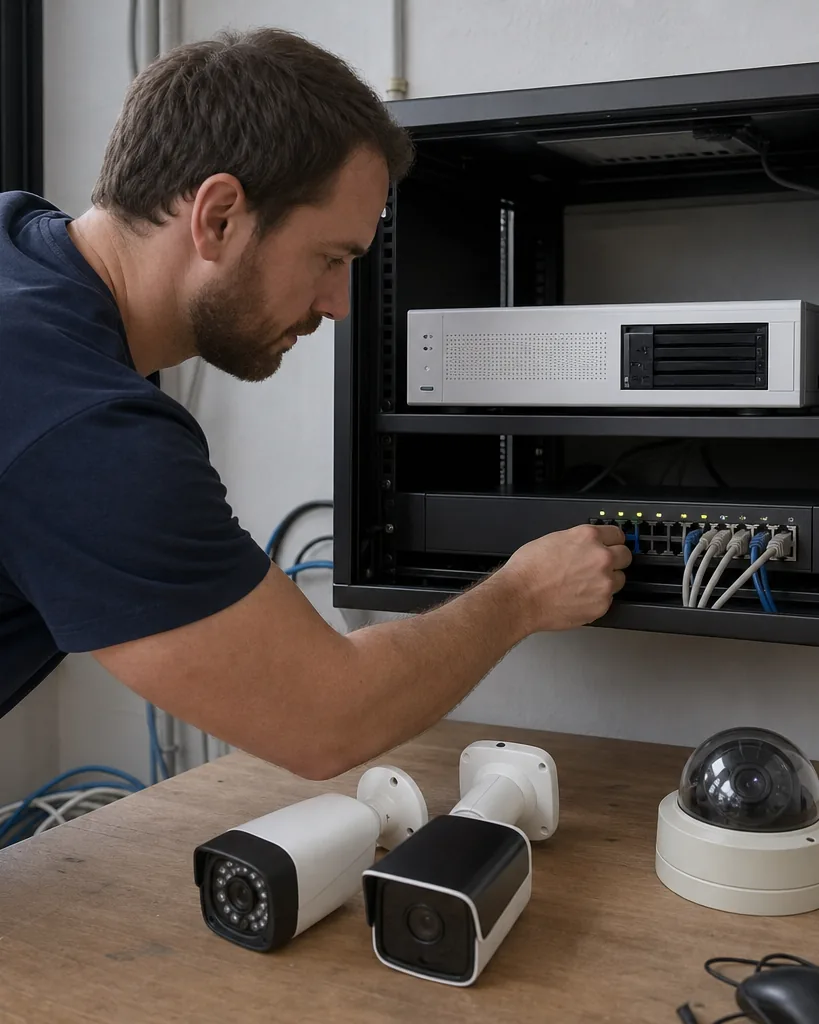
Protect does not analyze a third party camera's video. Ubiquiti says motion detections "must be configured on the camera and sent to Protect" over ONVIF events. So the quality of every motion alert is the quality of that camera's built in detector, usually pixel change in a grid.
On a 2018 Hikvision bullet or a budget Amcrest dome, that detector fires on headlights sweeping a lot, a flag moving in wind, rain at night and the IR switching on at dusk. Protect then records the clip and pushes the notification. Turn sensitivity down and you miss the person walking along the fence. Turn it up and the phone buzzes forty times a night.
Some newer third party cameras run their own person detection, but Protect only receives a generic motion event over ONVIF, so you cannot filter alerts by class in the Protect app. That is the gap the AI Port and our person detection camera software both fill, in different ways.
How many AI Ports third party cameras need, and what that costs.
The UniFi AI Port is $199 on the US UniFi store. Each one handles a fixed number of ONVIF cameras by resolution, and third party cameras cannot share a port with UniFi cameras.
HD, 1080p
$66 a camera
3 cameras per AI Port
Fifteen 1080p cameras need 5 AI Ports, $995 once.
2K, about 4 MP
$100 a camera
2 cameras per AI Port
Fifteen 4 MP cameras need 8 AI Ports, $1,592 once.
4K, 8 MP
$199 a camera
1 camera per AI Port
Fifteen 4K cameras need 15 AI Ports, $2,985 once.
The AI Port is a small PoE box. It pulls the camera's stream, runs Protect's detection on it and hands Protect people, vehicles, animals, speech, vehicle color and type, faces and license plates. It is powered by PoE+ or PoE++ and can pass up to 12.95 W or 25.5 W to a camera plugged into it, so a switch port per AI Port is part of the bill.
The limits matter more than the price. It takes streams up to 4K at 30 frames a second, it is not compatible with multi sensor cameras that have very wide aspect ratios, and it does not work with UniFi's own AI series cameras. If a site has a few panoramic cameras on the parking lot, those are the ones that stay noisy. The UniFi AI Port price post goes through the model and the rack mount in more detail.
Prices on the US UniFi store
UniFi AI Port
- Price
- $199
AI Port rack mount, 6 ports, 1U
- Price
- $69
UI Care for an AI Port
- Price
- $39
G5 Bullet, if you replace the camera
- Price
- $129
Protect software and licenses
- Price
- $0
| Item | Price |
|---|---|
| UniFi AI Port | $199 |
| AI Port rack mount, 6 ports, 1U | $69 |
| UI Care for an AI Port | $39 |
| G5 Bullet, if you replace the camera | $129 |
| Protect software and licenses | $0 |
Protect has no subscription. The cost is hardware, once.
Three ways to get person alerts on UniFi Protect third party cameras.
All three keep Protect as the recorder. They differ in hardware, in which cameras they cover and in where the alert goes.
Add AI Ports
Best when the site is one location, the cameras are 1080p or 4 MP single lens models and everyone already lives in the Protect app. It is the cheapest route for that case and the alerts look exactly like UniFi camera alerts.
About $66 to $199 a camera, once.
Replace the cameras
Best when the old cameras are near end of life anyway. A G5 Bullet at $129 brings smart detections built in, and a camera you buy new is a camera you would have bought in two years regardless. Labor and lifts are the real cost.
$129 and up a camera, plus installation.
Classify the existing streams
Best when you have 4K or multi sensor cameras, more than one site, cameras you will keep if you ever leave UniFi, or a team that wants classified alerts in a Slack channel or email list rather than on one admin's phone.
$49 a month for 4 cameras, $888 a year for 15.
What person alerts on fifteen third party cameras cost in UniFi Protect.
Detection cost only. The console, drives and cameras you already own are the same in every row.
AI Ports, 1080p cameras
- Up front
- $995
- Per year after
- $0
- Five years
- $995
- What it covers
- 5 AI Ports and 5 switch ports. Alerts in the Protect app.
AI Ports, 4 MP cameras
- Up front
- $1,592
- Per year after
- $0
- Five years
- $1,592
- What it covers
- 8 AI Ports. Wide multi sensor models not supported.
AI Ports, 4K cameras
- Up front
- $2,985
- Per year after
- $0
- Five years
- $2,985
- What it covers
- 15 AI Ports, one per camera.
Replace with G5 Bullets
- Up front
- $1,935
- Per year after
- $0
- Five years
- $1,935
- What it covers
- Camera price only. Installation is extra and often larger.
MotionDetection, Operate tier
- Up front
- $888
- Per year after
- $888
- Five years
- $4,440
- What it covers
- Person, vehicle, animal and package on 15 cameras of any brand and resolution, up to 3 sites, 30 day event history, 5 users, Slack and webhook. Records nothing.
| Option | Up front | Per year after | Five years | What it covers |
|---|---|---|---|---|
| AI Ports, 1080p cameras | $995 | $0 | $995 | 5 AI Ports and 5 switch ports. Alerts in the Protect app. |
| AI Ports, 4 MP cameras | $1,592 | $0 | $1,592 | 8 AI Ports. Wide multi sensor models not supported. |
| AI Ports, 4K cameras | $2,985 | $0 | $2,985 | 15 AI Ports, one per camera. |
| Replace with G5 Bullets | $1,935 | $0 | $1,935 | Camera price only. Installation is extra and often larger. |
| MotionDetection, Operate tier | $888 | $888 | $4,440 | Person, vehicle, animal and package on 15 cameras of any brand and resolution, up to 3 sites, 30 day event history, 5 users, Slack and webhook. Records nothing. |
Buy AI Ports if
you run one site, the cameras are 1080p or 4 MP single lens models, and the Protect app is where alerts should land. Over five years the AI Port route costs less than our Operate tier for that site, and we would rather say so here than have you find out after a trial.
Use a detection layer if
the cameras are 4K or panoramic, you have several sites or a second recorder somewhere, alerts need to reach a Slack channel, or you want detection that stays if the recorder changes. You pay a published price per camera tier by card, and there is nothing to mount.
Person alerts from the same ONVIF cameras, with Protect still recording.
Connect
Give it each camera's RTSP address, or let it find them over ONVIF. It reads the low resolution sub stream while Protect keeps pulling the main stream, so the console load does not change.
Detect
Our background model finds regions that really moved and groups them into events. Sensor noise, compression shimmer and the IR switch at dusk are dropped before anything is classified.
Classify
Crops from each event are labeled person, vehicle, animal, package or other motion, with a confidence value. Continuous video never leaves your network.
Alert
Only events in a class you picked, outside your exclude zones and longer than your minimum duration reach you, by email, webhook or Slack.
Most ONVIF cameras allow several RTSP sessions at once, which is what lets Protect and a detection layer read the same camera. The RTSP camera software page lists the stream paths for common brands. If you are still deciding on the recorder itself, the UniFi Protect cost post totals consoles and drives for four and fifteen cameras, and the video management software guide compares Protect with licensed VMS platforms.
Four things the AI Port does that this product does not.
-
Native Protect alerts
AI Port detections show up in the Protect app, timeline and smart search like a UniFi camera's. Ours arrive as their own event list, email, Slack or webhook.
-
Faces and license plates
The AI Port adds face recognition and license plate recognition. We classify people, vehicles, animals and packages and identify no one.
-
One payment
An AI Port is bought once. Our tiers are a subscription, so for one small 1080p site the AI Port is cheaper by year two.
-
Recording
Protect records the video. We keep events and their crops, not footage, so we never replace the console.
UniFi Protect third party camera questions before you buy anything.
01
Does UniFi Protect support third party cameras?
Yes. Since Protect 5.0, UniFi Protect adopts ONVIF compatible cameras from other brands with no license or fee. You turn on Discover Third-Party Cameras under Settings, System, then adopt each camera with its ONVIF credentials. They get live view, playback, PTZ, audio and the motion events the camera sends.
02
Does UniFi Protect support ONVIF?
Yes, as a client. Protect discovers and adopts ONVIF cameras on the same network, or by IP address through Advanced Adoption. It takes the camera's highest and lowest quality streams as HQ and LQ. If you change the streams on the camera later, you remove and re-add it in Protect.
03
Does UniFi Protect do person detection on third party cameras?
Not by itself. Protect gives third party cameras motion events only, and those must be configured on the camera and sent to Protect. Person, vehicle and animal detection on an ONVIF camera needs a UniFi AI Port, at $199 for one to three cameras, or a detection layer that reads the camera stream.
04
Do I need an AI Port for third party cameras?
Only if you want smart detections in Protect. Third party cameras record and stream without one. An AI Port handles one 4K, two 2K or three HD ONVIF cameras, cannot mix them with UniFi cameras, and does not support wide multi sensor cameras.
05
How many cameras can an AI Port handle?
Up to three ONVIF cameras at HD, two at 2K or one at 4K, and up to five UniFi cameras at HD. It accepts streams up to 3840 by 2160 at 30 frames a second, so higher resolution or frame rate cameras need to be turned down first.
06
Why does UniFi Protect motion detection on my ONVIF camera trigger all the time?
Because Protect uses the camera's own motion detector, which usually measures pixel change and fires on headlights, rain, shadows and the IR switch at dusk. Lowering sensitivity on the camera cuts false alerts but also misses people. Classifying each event as person or vehicle before alerting fixes both.
07
Can I get person alerts on UniFi Protect third party cameras without new hardware?
Yes. A detection layer reads the RTSP sub stream of each camera while Protect keeps recording, and labels every motion event before it alerts. MotionDetection does this from $49 a month for four cameras, or $888 a year for fifteen across up to three sites, with nothing to mount.
Related pages
UniFi AI Port price per third party camera
The $199 AI Port, how many you need, and when it is the wrong purchase.
UniFi Protect cost for a business
No subscription, so the cost is the console, drives and cameras.
Person detection camera software
Person alerts on the cameras you already own.
RTSP camera software
Stream paths, sub streams and codecs for common brands.
HikCentral Professional license price
If the third party cameras are Hikvision and you are weighing their own platform.
Video management software for IP cameras
VMS platforms compared on license model and published price.
Video analytics software price
Four tiers, the per camera arithmetic, and no sales call attached.
Keep Protect. Fix the third party alerts.
One field, one 6 digit code, and your console opens on that address. Pick the tier by camera count and pay by card, with no quote to wait for.