AI NVR software for the cameras and NVR you already own, priced per camera
- Hardware prices from vendor price pages and named US resellers
- Works with any NVR that serves an RTSP stream per channel
Interior, after hours
Fixed camera, low light, two subjects
Analysing the clip
Clip
Decoded in your browser. Your video is never uploaded.
Sets the luma delta threshold and the smallest region that counts.
Kills the one frame flicker that no operator wants paged about.
Exclude zone
Put it over the road, the tree, the neighbour's window. Events inside it stop alerting.
The frame an event was found on shows up here.
Nothing selected yet
Hover a row in the event table to preview its frame, click it to hold the frame and jump the clip there.
- Length
- 0.0s
- Confidence
- 0%
- Area
- 0.0%
0
Motion events found
0
Dropped by zone
0
Dropped, too short
0
Alerts you would get
| # | Start | Length | Class | Conf. | Area |
|---|
Reading the clip. Events appear here as they are found.
Get these alerts from your own cameras.
Most sites need AI on the streams, not a new recorder.
If your NVR records reliably and the only complaint is alert noise, the recorder is not the problem. The detection is.
A typical small business NVR from Hikvision, Dahua, Lorex, Uniview or Hanwha detects motion by comparing pixels between frames. Headlights, rain, a flag in the wind and a spider on the dome all count. That is why the phone buzzes forty times a night and nobody looks anymore.
AI NVR software adds one step: a model checks each motion event and labels it person, vehicle, animal or nothing. Only the labeled events in the zones you care about become alerts. The recording itself does not change, so there is rarely a reason to throw out a recorder that works.
For fifteen cameras the first year costs $888 with our Operate tier, about $5,100 with two Hanwha boxes, $8,233 with Rhombus, $10,734 with Verkada and about $42,800 with an Avigilon AI NVR 2.
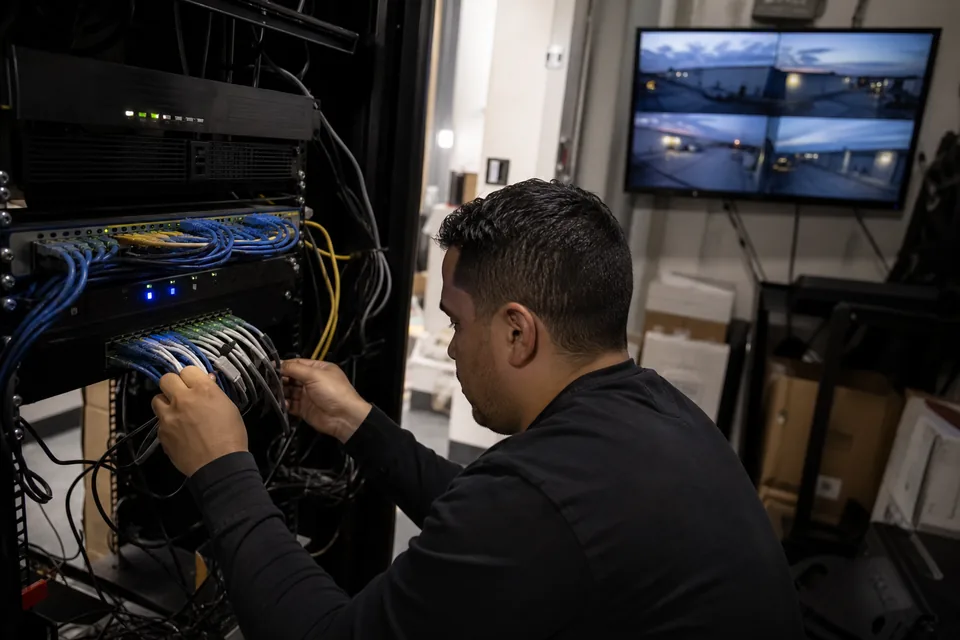
AI NVR software and hardware routes side by side.
US prices before tax and installation. Vendor MSRP where one is published, otherwise a named US reseller listing.
AI NVR appliance
- Example
- Avigilon AI NVR 2 Value 6TB to Standard 24TB
- Price
- $6,039 to $33,715.50, plus $311.05 VAC per camera analyzed
- Reads cameras behind your NVR
- No, cameras move to it
- Replaces the NVR
- Yes
- Best for
- A site replacing the recorder anyway
AI box beside the cameras
- Example
- Hanwha AIB-800, 8 channels
- Price
- $2,548.23 per box
- Reads cameras behind your NVR
- No, Hanwha lists NVRs and DVRs as unsupported
- Replaces the NVR
- No
- Best for
- All Hanwha cameras on a switch
AI box on a brand recorder
- Example
- IDIS DV-1304-A, 4 channels
- Price
- $986 to $1,120.50 per box
- Reads cameras behind your NVR
- Only on an IDIS DirectIP NVR with IDIS cameras
- Replaces the NVR
- No
- Best for
- An all IDIS site
Cloud connector
- Example
- Rhombus Relay Core, 10 cameras
- Price
- $2,999 plus $149 per camera license
- Reads cameras behind your NVR
- No, cameras move to it
- Replaces the NVR
- Yes
- Best for
- Moving the site to Rhombus
Cloud connector
- Example
- Verkada Command Connector CC300 to CC700
- Price
- $4,499 to $9,999 plus about $249 per camera a year
- Reads cameras behind your NVR
- No, it never talks to an existing NVR
- Replaces the NVR
- Yes
- Best for
- Swapping to Verkada cameras over time
Self hosted software
- Example
- Blue Iris with an AI add-on on your own PC
- Price
- $99.95 once, plus the PC
- Reads cameras behind your NVR
- Yes, via RTSP
- Replaces the NVR
- Usually
- Best for
- One technical owner who maintains it
Classification on existing streams
- Example
- MotionDetection
- Price
- $288 a year for 4 cameras, $888 a year for 15
- Reads cameras behind your NVR
- Yes, via the RTSP stream of each NVR channel
- Replaces the NVR
- No
- Best for
- Mixed brands, a recorder that works
| Route | Example | Price | Reads cameras behind your NVR | Replaces the NVR | Best for |
|---|---|---|---|---|---|
| AI NVR appliance | Avigilon AI NVR 2 Value 6TB to Standard 24TB | $6,039 to $33,715.50, plus $311.05 VAC per camera analyzed | No, cameras move to it | Yes | A site replacing the recorder anyway |
| AI box beside the cameras | Hanwha AIB-800, 8 channels | $2,548.23 per box | No, Hanwha lists NVRs and DVRs as unsupported | No | All Hanwha cameras on a switch |
| AI box on a brand recorder | IDIS DV-1304-A, 4 channels | $986 to $1,120.50 per box | Only on an IDIS DirectIP NVR with IDIS cameras | No | An all IDIS site |
| Cloud connector | Rhombus Relay Core, 10 cameras | $2,999 plus $149 per camera license | No, cameras move to it | Yes | Moving the site to Rhombus |
| Cloud connector | Verkada Command Connector CC300 to CC700 | $4,499 to $9,999 plus about $249 per camera a year | No, it never talks to an existing NVR | Yes | Swapping to Verkada cameras over time |
| Self hosted software | Blue Iris with an AI add-on on your own PC | $99.95 once, plus the PC | Yes, via RTSP | Usually | One technical owner who maintains it |
| Classification on existing streams | MotionDetection | $288 a year for 4 cameras, $888 a year for 15 | Yes, via the RTSP stream of each NVR channel | No | Mixed brands, a recorder that works |
The column that decides most purchases is the fourth one. In a typical small business, the cameras are plugged into the NVR's own PoE ports, so nothing else on the network can reach them directly. Hanwha's AI box and the two cloud connectors need the cameras on a switch they can see, which means rewiring or a new recorder. Our full breakdown of the boxes is on the AI box for CCTV cameras price comparison.
Nearly every NVR sold in the US in the last decade serves an RTSP stream per channel, including the cameras on its PoE ports. That stream is all classification software needs. Path formats for the common brands are listed on our RTSP camera software page, and the Avigilon AI NVR price post itemizes every AI NVR 2 model and its analytics channel limits.
What fifteen existing cameras cost in year one and every year after.
The cheapest unit count that covers fifteen cameras, at the prices above. Installation labor and new cabling are not included, which flatters the hardware routes.
Avigilon AI NVR 2 Standard 16TB
- Arithmetic
- $29,925 + $6,053.40 analytics kit + 15 x $142.50 camera license + 15 x $311.05 VAC
- Year one
- $42,781.65
- Each later year
- Support renewals by quote
Verkada CC500
- Arithmetic
- $6,999 + 15 x $249
- Year one
- $10,734
- Each later year
- $3,735
Rhombus Relay Core
- Arithmetic
- 2 x $2,999 + 15 x $149
- Year one
- $8,233
- Each later year
- $2,235
Hanwha AIB-800
- Arithmetic
- 2 x $2,548.23, Hanwha cameras only, rewired to a switch
- Year one
- $5,096.46
- Each later year
- $0
MotionDetection, Operate tier
- Arithmetic
- $888 a year, or $149 a month
- Year one
- $888
- Each later year
- $888
| Route | Arithmetic | Year one | Each later year |
|---|---|---|---|
| Avigilon AI NVR 2 Standard 16TB | $29,925 + $6,053.40 analytics kit + 15 x $142.50 camera license + 15 x $311.05 VAC | $42,781.65 | Support renewals by quote |
| Verkada CC500 | $6,999 + 15 x $249 | $10,734 | $3,735 |
| Rhombus Relay Core | 2 x $2,999 + 15 x $149 | $8,233 | $2,235 |
| Hanwha AIB-800 | 2 x $2,548.23, Hanwha cameras only, rewired to a switch | $5,096.46 | $0 |
| MotionDetection, Operate tier | $888 a year, or $149 a month | $888 | $888 |
Over five years the Hanwha route and ours land close together ($5,096 against $4,440), so for an all Hanwha site the box is a fair buy. For a site with mixed brands on a working NVR, the question is not which is cheaper but which one can see the cameras at all without new wiring. The Hanwha AI Box price page lists the camera models it supports, and the Verkada Command Connector pricing page covers its channel limits by model.
Keep the NVR and change what wakes you up.
What changes for the person holding the phone, and what stays exactly as it is.
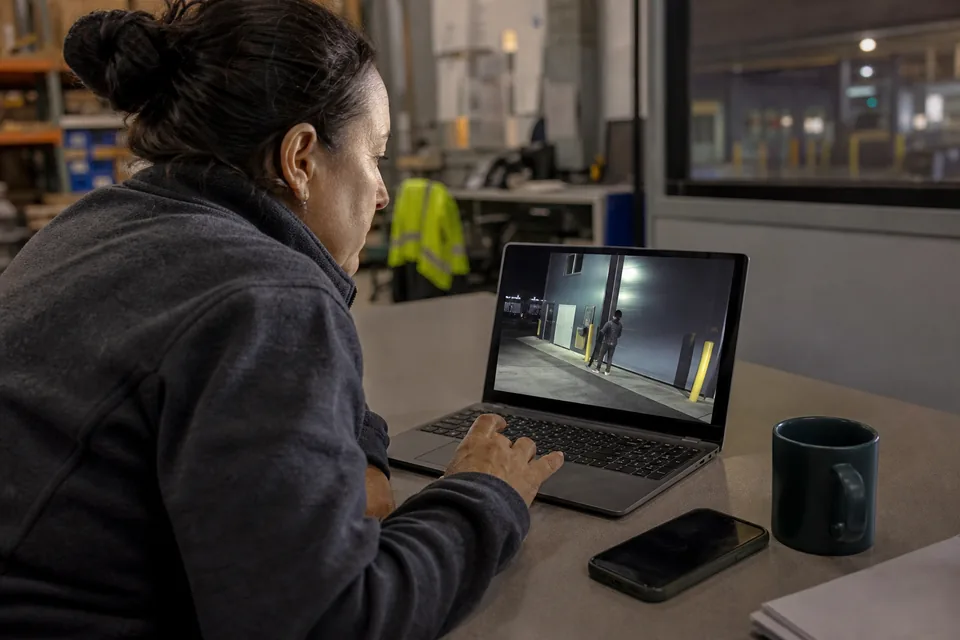
Stays the same
Recording, retention, the NVR app your staff already use, and every camera and cable.
Changes
Alerts. Each one is a labeled event with a cropped still, sent only for the classes and zones you chose.
Where alerts go
Email, Slack or a webhook to whoever is on shift. The Operate tier keeps a 30 day event history for 5 users.
What leaves the site
Behind NAT, a small connector on your network sends only events and stills, not continuous video.
A warehouse with fifteen cameras on a Hikvision NVR is the usual case. The dock doors trigger on every passing truck light. With classification, the night shift gets a still of the person at door 4, not a clip of moths. The NVR still holds the full recording for the morning review.
Four steps from an existing NVR to classified alerts.
-
1
Add the streams
Paste the RTSP sub stream of each NVR channel or camera, or let the console find ONVIF cameras. Nothing is installed on the recorder or the cameras.
-
2
Run the connector if needed
If the NVR sits behind NAT with no open ports, a small connector on the same network reads the streams locally and forwards events.
-
3
Draw zones and choose classes
Mark the gate, the lot or the dock, pick person, vehicle, animal or package, and set hours per class.
-
4
Route the alerts
Send each labeled event with its still to email, Slack or a webhook, and review the event timeline in the console.
Try it on one of your own clips with the demo at the top before you decide. If you are also weighing a new recording platform, our video management software comparison prices the common VMS licenses per camera.
When an AI NVR or a box is the better purchase.
-
The recorder is failing anyway
If the NVR is out of disks, out of support or out of channels, an AI NVR replaces it and adds analytics in one purchase. Price both jobs together.
-
No internet at the site
An appliance analyzes on premises with no outbound connection. Our classification runs as a service and needs one.
-
Plates, faces and counting
Avigilon and Hanwha add license plates, face attributes and people counting. We classify people, vehicles, animals and packages and send alerts.
-
An all Hanwha or all IDIS site
The vendor box is certified for its own cameras, bought once, and over five years costs about what our tier does.
AI NVR software questions buyers ask before ordering.
01
What is the best AI NVR software?
For a site with a working NVR and mixed camera brands, the best AI NVR software is the one that reads your existing RTSP streams, because it needs no rewiring. For a site replacing its recorder, an AI NVR such as the Avigilon AI NVR 2 adds plates and faces. For an all Hanwha site, the Hanwha AI Box fits.
02
Can I add AI to my existing NVR?
Yes, if the NVR serves an RTSP stream per channel, which nearly every business NVR does. Software reads those streams, classifies each motion event and sends alerts, while the NVR keeps recording. Most AI boxes cannot do this, because they need cameras on a network switch rather than on the NVR's PoE ports.
03
How much does an AI NVR cost?
An Avigilon AI NVR 2 starts at $6,039 for the Value 6TB model at a US reseller, and the Standard 16TB model is $29,925, plus $311.05 per camera for the analytics license. A Hanwha AI Box is $2,548 for 8 channels. Software on your existing NVR starts at $288 a year for 4 cameras.
04
Do I need an AI NVR or AI cameras?
Neither, if your current cameras and NVR record well. AI cameras classify on the camera and suit new installs. An AI NVR suits a site replacing its recorder. To fix alerts on cameras you already own, classification on the existing streams is the cheapest route.
05
Does AI NVR software work with Hikvision or Dahua NVRs?
Yes. Hikvision and Dahua NVRs serve an RTSP stream for each channel, including cameras plugged into their PoE ports. Classification software reads those streams with a local connector if the recorder is behind NAT. The NVR keeps recording and its app keeps working.
06
Is there AI NVR software without monthly fees?
Yes, with trade offs. Blue Iris is $99.95 once, but you supply and maintain the PC and the AI add-on yourself. Hanwha and IDIS AI boxes are bought once but read only their own brands. Our tiers are a yearly or monthly subscription that includes the classification and event history.
Related pages
AI box for CCTV cameras compared
IDIS, Hanwha, Rhombus, Verkada and Avigilon priced per camera over five years.
Avigilon AI NVR price
AI NVR 2 by model with license and analytics channel lines.
Hanwha AI Box price
AIB-800 and AIB-800A, supported cameras and the NVR limitation.
Verkada Command Connector pricing
CC300 to CC700 and the yearly license per camera.
RTSP camera software
Stream paths for the common camera and NVR brands.
Video analytics software price
Every tier and the per camera arithmetic, no sales call.
Keep the NVR. Add the AI on its streams.
One field, one 6 digit code, and your console opens on that address. Pick the tier by camera count and pay by card.