Netcam Studio alternative for a business, now that Netcam Studio is discontinued
Netcam Studio stopped development in 2025 and is now free, unpatched and without mobile apps. Agent DVR, Blue Iris, SecuritySpy, UniFi and a detection layer compared, with a fifteen camera, five year total.
Interior, after hours
Fixed camera, low light, two subjects
Analysing the clip
Clip
Decoded in your browser. Your video is never uploaded.
Sets the luma delta threshold and the smallest region that counts.
Kills the one frame flicker that no operator wants paged about.
Exclude zone
Put it over the road, the tree, the neighbour's window. Events inside it stop alerting.
The frame an event was found on shows up here.
Nothing selected yet
Hover a row in the event table to preview its frame, click it to hold the frame and jump the clip there.
- Length
- 0.0s
- Confidence
- 0%
- Area
- 0.0%
0
Motion events found
0
Dropped by zone
0
Dropped, too short
0
Alerts you would get
| # | Start | Length | Class | Conf. | Area |
|---|
Reading the clip. Events appear here as they are found.
Get these alerts from your own cameras.
Netcam Studio is discontinued. Moonware stopped developing it in 2025, made the last build (1.9.8.5, March 2025) free for private and commercial use, pulled the mobile apps and ended priority support for license holders in July 2025. It still records, but nobody patches it. For a business, the usual replacements are Agent DVR, Blue Iris, SecuritySpy on a Mac, or keeping a recorder and adding a detection layer for the alerts.
Free sounds like the best price, and for a hobby camera it may be. A business has a different problem: the software that watches the loading door or the cash office now runs on one Windows PC, with security libraries its own developer called out of date, reachable from the internet through a forwarded port. Below are the facts from Netcam Studio's own site and forum, four replacements with their real prices, and a fifteen camera total. We sell one of the four, and the comparison says where the others cost less.
What happened to Netcam Studio
The timeline is short and all of it comes from Moonware itself. In December 2024 the forum administrator announced 1.9.8 as the last version and said it was not fully updated to the latest security libraries. On May 1, 2025 he wrote that Netcam Studio "is not developed anymore", that sales had fallen as buyers moved to cloud systems, and that the last Pro build would be free with no official support. Three weeks later he called it closed down.
Development
- Netcam Studio today
- Stopped in 2025, last version 1.9.8.5 from March 2025
- What it means for a business
- No fixes for new Windows updates, codecs or camera firmware
Price
- Netcam Studio today
- Free for private and commercial use since 2025
- What it means for a business
- Nothing to pay, and nobody to call
Support
- Netcam Studio today
- Priority support for license holders ended July 2025
- What it means for a business
- A quiet community forum is the only help
Mobile apps
- Netcam Studio today
- Removed from the App Store and Google Play, push notifications stopped
- What it means for a business
- Alerts reach a phone only by email or the browser client
Camera limit
- Netcam Studio today
- 64 sources per installation, also in the free build
- What it means for a business
- A larger site needs a second PC or a different product
Remote access
- Netcam Studio today
- Its own web server, reached by port forwarding
- What it means for a business
- An unpatched service exposed to the internet
| Item | Netcam Studio today | What it means for a business |
|---|---|---|
| Development | Stopped in 2025, last version 1.9.8.5 from March 2025 | No fixes for new Windows updates, codecs or camera firmware |
| Price | Free for private and commercial use since 2025 | Nothing to pay, and nobody to call |
| Support | Priority support for license holders ended July 2025 | A quiet community forum is the only help |
| Mobile apps | Removed from the App Store and Google Play, push notifications stopped | Alerts reach a phone only by email or the browser client |
| Camera limit | 64 sources per installation, also in the free build | A larger site needs a second PC or a different product |
| Remote access | Its own web server, reached by port forwarding | An unpatched service exposed to the internet |
Scroll the table sideways to read every column.
For the record, the last prices Moonware confirmed on its forum, in 2017, were $49 for 4 cameras, $75 for 16 and $99 for 64, once, before VAT. Those licenses do not matter anymore, because the free build has the same 64 camera ceiling. "Netcam Studio X" is not a newer product either. It is the desktop mode of the same server, the window you see when Netcam Studio is not running as a Windows service.
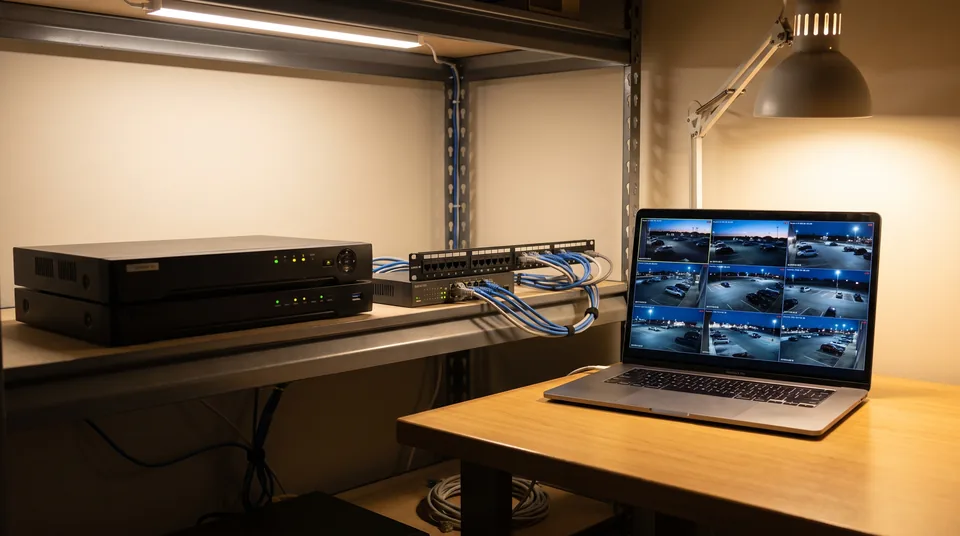
Why a free, frozen recorder is a business risk
It is not broken today, so why spend money? Because three things have already happened to it, and each one is a preview of the next.
- Windows updates broke it. In October 2025, owners on the forum reported that a Windows .NET update stopped Netcam Studio from starting as a service or accepting a login. The workaround was to uninstall the update, which means choosing between your recorder and your patches.
- Alerts stopped reaching phones. With the apps gone and push switched off, a motion alert is an email or nothing. Netcam Studio's detection is motion, blob and speed detection plus face detection; there is no person or vehicle classification, so a tree in the wind and a person at the door produce the same email.
- It is reachable from outside. Remote viewing works by opening a port on the router to the Netcam Studio web server. Running an unpatched service that way is the kind of thing an IT audit or a cyber insurance questionnaire flags.
None of that makes the PC stop recording tomorrow. It does mean the day it stops, there is no vendor and no fix, so the move is cheaper to plan now than to rush after a failed update.
Netcam Studio alternatives side by side
Each option below takes the IP cameras Netcam Studio used, over RTSP or ONVIF, and tells a person or vehicle apart from leaves and headlights. They differ on where they run, whether they record, and how a business is billed. Prices are the vendors' own published US prices, checked for this page.
Agent DVR
- Runs on
- Windows, macOS, Linux, Docker
- Records
- Yes, unlimited cameras per server
- Person and vehicle detection
- Real time AI in every paid plan
- Business price
- $7.95 to $19.95 a month per server; business use needs a paid plan
Blue Iris
- Runs on
- One Windows PC
- Records
- Yes, up to 128 cameras
- Person and vehicle detection
- Built in since version 6
- Business price
- $99.95 license plus the $39.95 a month commercial license
SecuritySpy
- Runs on
- One Mac
- Records
- Yes, 1 to unlimited cameras
- Person and vehicle detection
- People, vehicles and animals on the Mac
- Business price
- $50.99 for 1 camera to $1,060.99 unlimited, once
UniFi Protect with AI Port
- Runs on
- A UniFi console
- Records
- Yes, on the console
- Person and vehicle detection
- One $199 AI Port per 1 to 3 third party cameras
- Business price
- No license, hardware only
MotionDetection
- Runs on
- Our service, nothing to install on the PC
- Records
- No, an NVR or VMS keeps recording
- Person and vehicle detection
- Classification of every real motion event
- Business price
- $49 to $499 a month by camera count, or $288 to $2,988 a year
| Product | Runs on | Records | Person and vehicle detection | Business price |
|---|---|---|---|---|
| Agent DVR | Windows, macOS, Linux, Docker | Yes, unlimited cameras per server | Real time AI in every paid plan | $7.95 to $19.95 a month per server; business use needs a paid plan |
| Blue Iris | One Windows PC | Yes, up to 128 cameras | Built in since version 6 | $99.95 license plus the $39.95 a month commercial license |
| SecuritySpy | One Mac | Yes, 1 to unlimited cameras | People, vehicles and animals on the Mac | $50.99 for 1 camera to $1,060.99 unlimited, once |
| UniFi Protect with AI Port | A UniFi console | Yes, on the console | One $199 AI Port per 1 to 3 third party cameras | No license, hardware only |
| MotionDetection | Our service, nothing to install on the PC | No, an NVR or VMS keeps recording | Classification of every real motion event | $49 to $499 a month by camera count, or $288 to $2,988 a year |
Scroll the table sideways to read every column.
Agent DVR is the closest like for like swap: another Windows recorder with a web interface, but maintained, with a relay for remote access instead of a forwarded port. Its free tier is for personal use only, so a business pays per server, as our Agent DVR pricing for business page lays out. Blue Iris is the other Windows choice and the details, including why a business needs the commercial plan, are on the Blue Iris license price page. If the office runs on Macs, the SecuritySpy license price page covers every camera tier.
If you would rather run Agent DVR on a small Linux server in Docker than on the desk PC Netcam Studio lived on, a tool that provisions and patches servers keeps that box updated, which is exactly the job nobody did for Netcam Studio.
What fifteen cameras cost over five years
One site, fifteen cameras, list prices, no PC, NVR or installation labor. The rows do not buy the same thing, and the last column says what each one covers.
Netcam Studio 1.9.8.5, kept as is
- Up front
- $0
- Five years
- $0
- What it covers
- Recording and motion alerts on one PC, no updates, no support
Agent DVR Professional, paid yearly
- Up front
- $215.46
- Five years
- $1,077.30
- What it covers
- Recording and AI on one server, unlimited cameras, perpetual local license
SecuritySpy 16 cameras, renewed from year three
- Up front
- $479.99
- Five years
- About $840
- What it covers
- Recording and detection on one Mac
Blue Iris with the commercial license
- Up front
- $99.95
- Five years
- $2,496.95
- What it covers
- Recording and AI on one Windows PC, licensed for business use
MotionDetection, Operate tier
- Up front
- $888
- Five years
- $4,440
- What it covers
- Classified alerts on 15 cameras at up to 3 sites, 5 users, webhook and Slack; your recorder keeps the video
| Option | Up front | Five years | What it covers |
|---|---|---|---|
| Netcam Studio 1.9.8.5, kept as is | $0 | $0 | Recording and motion alerts on one PC, no updates, no support |
| Agent DVR Professional, paid yearly | $215.46 | $1,077.30 | Recording and AI on one server, unlimited cameras, perpetual local license |
| SecuritySpy 16 cameras, renewed from year three | $479.99 | About $840 | Recording and detection on one Mac |
| Blue Iris with the commercial license | $99.95 | $2,496.95 | Recording and AI on one Windows PC, licensed for business use |
| MotionDetection, Operate tier | $888 | $4,440 | Classified alerts on 15 cameras at up to 3 sites, 5 users, webhook and Slack; your recorder keeps the video |
Scroll the table sideways to read every column.
The plain reading: if you want one box that records and detects and you are fine maintaining it, Agent DVR and SecuritySpy cost less than we do over five years. We cost more because nothing runs on a PC at your site, the alerts go to every user and channel you add, and three locations share one account. Our full tiers are on the video analytics software price page.
Which one fits your site
Start with one question: does the site need a new recorder, or only better alerts?
- Netcam Studio is your only recorder and you want the same setup, maintained. Agent DVR on Windows or Linux, or Blue Iris on Windows. Budget the business license, not the free tier.
- The office is all Mac. SecuritySpy, bought once by camera count.
- You are replacing the cameras anyway. A UniFi console with UniFi cameras records and classifies with no license, and an AI Port covers a few older third party cameras.
- An NVR already records, and Netcam Studio only sent the alerts. A detection layer on the RTSP sub stream does that job without a PC. That is what we sell; our RTSP camera software page covers the stream URLs, and person detection camera software shows the alerts most owners wanted from Netcam Studio and never got.
You can test that last route on a clip from your own camera in the demo at the top of this page before you pay anything.
Questions buyers ask
Is Netcam Studio discontinued?
Yes. Moonware said on its forum on May 1, 2025 that Netcam Studio is not developed anymore and later called it closed down. The last version is 1.9.8.5 from March 2025, made free for private and commercial use, with no official support. Priority support for existing license holders ended in July 2025.
Is Netcam Studio free now?
Yes. Netcam Studio's pricing page says that since 2025 it is free for private and professional use, and the Windows installers still download. Free does not include support, security updates or the mobile apps, which were removed from both app stores, and the 64 camera limit per installation still applies.
How much did a Netcam Studio license cost?
The last prices Moonware confirmed on its forum, in 2017, were $49 for 4 cameras, $75 for 16 cameras and $99 for 64 cameras, as one time licenses before VAT. The free edition was limited to 2 sources and watermarked the video. Licenses are no longer sold because the full version is free.
What is the best Netcam Studio alternative for a business?
For a like for like Windows recorder, Agent DVR from $7.95 a month per server or Blue Iris with its commercial license. For a Mac office, SecuritySpy. If an NVR already records and you only need person and vehicle alerts, a detection layer such as MotionDetection, from $49 a month for four cameras, replaces the alert half without a PC.
Does Netcam Studio have person detection?
No. Netcam Studio offers motion, blob and speed detection, audio detection and a face detection option, but no person or vehicle classification. That is why a moving shadow and a person trigger the same alert, and why most replacements are chosen for their AI detection rather than for recording.
Can I keep my cameras when I replace Netcam Studio?
Yes, for IP cameras. Every option here connects over RTSP or ONVIF the way Netcam Studio did, so you copy each camera's stream URL into the new product. USB webcams need a computer based recorder such as Agent DVR or Blue Iris.
Written by the people building MotionDetection. Prices quoted for other products are those vendors' own published positioning at the time of writing, not quotes we were given, and they change. Check them yourself before you decide anything.