Videoloft pricing per camera, and the Videoloft alternative for sites that already record
- Prices read from Videoloft's own US plan builder
- Written by one of the alternatives
Interior, after hours
Fixed camera, low light, two subjects
Analysing the clip
Clip
Decoded in your browser. Your video is never uploaded.
Sets the luma delta threshold and the smallest region that counts.
Kills the one frame flicker that no operator wants paged about.
Exclude zone
Put it over the road, the tree, the neighbour's window. Events inside it stop alerting.
The frame an event was found on shows up here.
Nothing selected yet
Hover a row in the event table to preview its frame, click it to hold the frame and jump the clip there.
- Length
- 0.0s
- Confidence
- 0%
- Area
- 0.0%
0
Motion events found
0
Dropped by zone
0
Dropped, too short
0
Alerts you would get
| # | Start | Length | Class | Conf. | Area |
|---|
Reading the clip. Events appear here as they are found.
Get these alerts from your own cameras.
A Videoloft bill has three parts. Only one of them is optional.
Everything below comes from the price list Videoloft's own sign up flow loads for a US customer.
A cloud plan per camera
Required. Priced by days kept, resolution and recording mode
Every camera connected to Videoloft needs a monthly or yearly plan. The cheapest US plan is $4.99 a month for 2 days of 2MP motion clips. Thirty days of continuous 4MP video is $11.79, and a year of it is $18.99.
A Cloud Adapter
Required for most systems. Hardware or free software
The adapter pulls video from your cameras or NVR and uploads it. The Cloud Adapter Mini (8 or 16 channels, 32GB) starts at $349, the Enterprise (32 or 64 channels, 1TB) at $2,149, and the Virtual Cloud Adapter is a free download for Windows or Linux.
AI analytics add-ons
Optional. Per camera, on top of the plan
Smart Motion, which labels people and vehicles and powers line crossing and zone alerts, is $1.79 a camera a month. People counting is $9.99, construction PPE detection $18.99 and license plate recognition $19.99.
What Videoloft costs per camera per month, by retention and resolution.
Monthly US list prices. Paying for 12 months up front takes exactly 10 percent off every figure. Enterprise accounts of 32 or more cameras and registered installers are quoted lower.
2 days
- Motion 2MP
- $4.99
- Motion 4MP
- $5.19
- Motion 8MP
- $5.49
- Continuous 2MP
- $5.99
- Continuous 4MP
- $6.49
- Continuous 8MP
- $6.99
7 days
- Motion 2MP
- $5.09
- Motion 4MP
- $5.59
- Motion 8MP
- $6.09
- Continuous 2MP
- $6.79
- Continuous 4MP
- $8.09
- Continuous 8MP
- $9.39
14 days
- Motion 2MP
- $5.39
- Motion 4MP
- $6.19
- Motion 8MP
- $6.89
- Continuous 2MP
- $7.89
- Continuous 4MP
- $10.29
- Continuous 8MP
- $12.69
30 days
- Motion 2MP
- $5.99
- Motion 4MP
- $7.09
- Motion 8MP
- $8.29
- Continuous 2MP
- $8.99
- Continuous 4MP
- $11.79
- Continuous 8MP
- $14.59
60 days
- Motion 2MP
- $6.29
- Motion 4MP
- $7.89
- Motion 8MP
- $9.39
- Continuous 2MP
- $11.49
- Continuous 4MP
- $16.89
- Continuous 8MP
- $22.29
90 days
- Motion 2MP
- $6.39
- Motion 4MP
- $7.99
- Motion 8MP
- $9.49
- Continuous 2MP
- $11.59
- Continuous 4MP
- $16.99
- Continuous 8MP
- $22.39
1 year
- Motion 2MP
- $7.39
- Motion 4MP
- $8.39
- Motion 8MP
- $9.79
- Continuous 2MP
- $15.89
- Continuous 4MP
- $18.99
- Continuous 8MP
- $22.69
| Cloud retention | Motion 2MP | Motion 4MP | Motion 8MP | Continuous 2MP | Continuous 4MP | Continuous 8MP |
|---|---|---|---|---|---|---|
| 2 days | $4.99 | $5.19 | $5.49 | $5.99 | $6.49 | $6.99 |
| 7 days | $5.09 | $5.59 | $6.09 | $6.79 | $8.09 | $9.39 |
| 14 days | $5.39 | $6.19 | $6.89 | $7.89 | $10.29 | $12.69 |
| 30 days | $5.99 | $7.09 | $8.29 | $8.99 | $11.79 | $14.59 |
| 60 days | $6.29 | $7.89 | $9.39 | $11.49 | $16.89 | $22.29 |
| 90 days | $6.39 | $7.99 | $9.49 | $11.59 | $16.99 | $22.39 |
| 1 year | $7.39 | $8.39 | $9.79 | $15.89 | $18.99 | $22.69 |
Two things in that grid are easy to miss. Motion recording is far cheaper than continuous once you keep more than a week, because only the clips upload: 30 days of 8MP motion clips is $8.29 against $14.59 for the same camera recording around the clock. And retention is priced in steps well beyond a year. The same plan builder offers every whole year from 2 to 10, up to $88.99 a camera a month for a decade of continuous 8MP video.
The yearly prices are the monthly ones times 12, less 10 percent. A 7 day continuous 2MP camera is $6.79 a month or $73.33 a year. Analytics follow the same rule: Smart Motion is $1.79 a month or $19.33 a year, people counting $107.89, PPE detection $205.09 and license plate recognition $215.89 a camera a year.
Videoloft AI add-ons, per camera
Smart Motion
- Month
- $1.79
- Year
- $19.33
People counting
- Month
- $9.99
- Year
- $107.89
PPE detection
- Month
- $18.99
- Year
- $205.09
License plates
- Month
- $19.99
- Year
- $215.89
| Add-on | Month | Year |
|---|---|---|
| Smart Motion | $1.79 | $19.33 |
| People counting | $9.99 | $107.89 |
| PPE detection | $18.99 | $205.09 |
| License plates | $19.99 | $215.89 |
Each add-on runs on video already uploaded to Videoloft's cloud, so it sits on top of a cloud plan, never instead of one.
What a fifteen camera business pays Videoloft, and what each number buys.
Yearly billing on every row, the free Virtual Cloud Adapter on a PC you already own, no cameras and no installation labor. Add $349 or more once if you need a hardware adapter.
Videoloft 7 days, 2MP motion clips
- Per camera per year
- $54.97
- 15 cameras per year
- $824.55
- Five years
- $4,122.75
- What it includes
- Offsite copy of motion clips for a week. Pixel motion alerts only.
Videoloft 7 days, 2MP motion, plus Smart Motion
- Per camera per year
- $74.30
- 15 cameras per year
- $1,114.50
- Five years
- $5,572.50
- What it includes
- The same, with person and vehicle labels, line crossing and zone alerts.
Videoloft 30 days, 4MP motion, plus Smart Motion
- Per camera per year
- $95.90
- 15 cameras per year
- $1,438.50
- Five years
- $7,192.50
- What it includes
- A month of 4MP motion clips offsite, with Smart Motion.
Videoloft 30 days, 4MP continuous, plus Smart Motion
- Per camera per year
- $146.66
- 15 cameras per year
- $2,199.90
- Five years
- $10,999.50
- What it includes
- A month of round the clock 4MP video offsite, with Smart Motion.
MotionDetection, Operate tier
- Per camera per year
- $59.20
- 15 cameras per year
- $888
- Five years
- $4,440
- What it includes
- Person, vehicle, animal and package classification on 15 cameras, 30 day event history, 5 users, 3 sites, webhook and Slack. No video storage.
| Option | Per camera per year | 15 cameras per year | Five years | What it includes |
|---|---|---|---|---|
| Videoloft 7 days, 2MP motion clips | $54.97 | $824.55 | $4,122.75 | Offsite copy of motion clips for a week. Pixel motion alerts only. |
| Videoloft 7 days, 2MP motion, plus Smart Motion | $74.30 | $1,114.50 | $5,572.50 | The same, with person and vehicle labels, line crossing and zone alerts. |
| Videoloft 30 days, 4MP motion, plus Smart Motion | $95.90 | $1,438.50 | $7,192.50 | A month of 4MP motion clips offsite, with Smart Motion. |
| Videoloft 30 days, 4MP continuous, plus Smart Motion | $146.66 | $2,199.90 | $10,999.50 | A month of round the clock 4MP video offsite, with Smart Motion. |
| MotionDetection, Operate tier | $59.20 | $888 | $4,440 | Person, vehicle, animal and package classification on 15 cameras, 30 day event history, 5 users, 3 sites, webhook and Slack. No video storage. |
The honest reading
If you want an offsite copy of your footage, Videoloft with 7 days of motion clips and Smart Motion costs a little more per camera than our Operate tier and does more, because it stores video and we do not. We will not pretend otherwise. The comparison only turns when the recorder on site already keeps the footage and the thing you actually want is fewer, better alerts. Then the question is whether you are willing to upload video from every camera, all month, to get them.
Videoloft's AI only sees what you upload. Upload is the line item nobody prices.
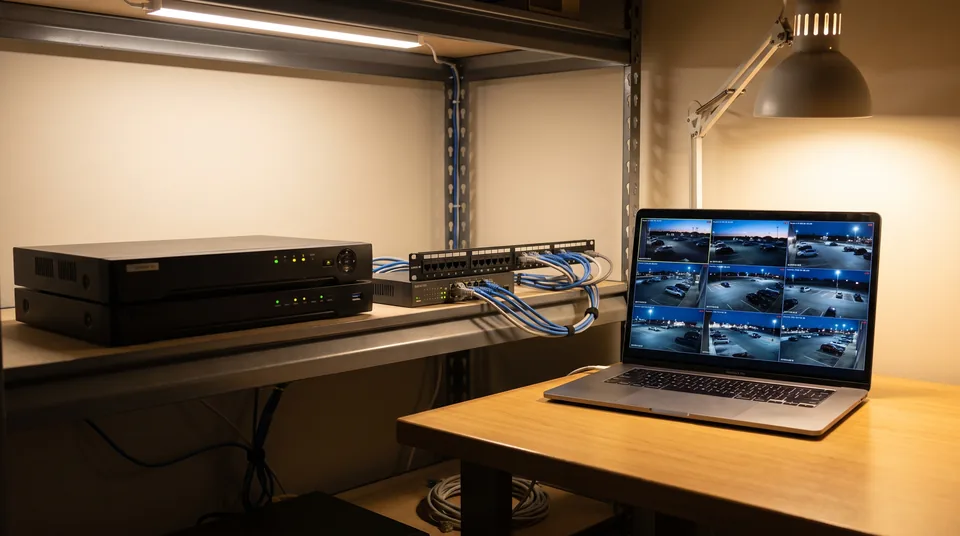
Videoloft says Smart Motion analyzes the video already streamed to its cloud. That is a sensible design for a cloud recorder, and it means person and vehicle alerts are only available on cameras whose video you pay to upload and store.
Videoloft's own figures put a 2MP camera at about 300 to 400 kbps of upload while it records, a 4MP camera at 800 to 1,200 kbps and an 8MP camera at 1,200 to 1,800 kbps, depending on H.265 or H.264. Fifteen 4MP cameras recording continuously need roughly 12 to 18 Mbps of steady upload, around the clock. On a cable or DSL line with 10 to 20 Mbps up, that is most of the connection. Motion only recording cuts it sharply, which is one reason the cheaper plans are motion only.
A detection layer that reads the stream on your network uploads small crops of each event instead. The recorder keeps the video, and the alert arrives labeled person, vehicle, animal or package.
Five products that work with the business cameras you already own.
Every row accepts third party IP cameras or recorders. They differ on where the video lives, how detection is sold and whether a price is published.
Videoloft
- Stores your video
- Yes, cloud per camera, 2 days to 10 years
- How person and vehicle detection is sold
- Smart Motion add-on, $1.79 a camera a month, on uploaded video
- Published price
- $4.99 to $22.69 a camera a month for 2 days to 1 year, adapter from $349 or free software
Angelcam
- Stores your video
- Yes, cloud add-on per camera, 3 to 60 days
- How person and vehicle detection is sold
- Real-Time Security and custom plans, quoted
- Published price
- $4 to $99 a month platform, plus $6.99 to $29.99 a camera a month to record
Camcloud
- Stores your video
- Yes, cloud, 7 to 30 days on self service plans
- How person and vehicle detection is sold
- Cloud AI add-on labels the camera's own motion events
- Published price
- $6 to $15 a camera a month, Cloud AI quoted
Ivideon
- Stores your video
- Yes, cloud per camera, 3 to 30 days
- How person and vehicle detection is sold
- Not found. Motion, sound and sensor alerts; faces, plates, counting and queues as add-ons
- Published price
- $42 to $156 a camera a year on its US store, $99 Bridge
MotionDetection
- Stores your video
- No, your existing recorder keeps the video
- How person and vehicle detection is sold
- Its own detection on the stream, then classification of every event, in every plan
- Published price
- $49 to $499 a month, $8.32 to $12.25 a camera, on the pricing page
| Product | Stores your video | How person and vehicle detection is sold | Published price |
|---|---|---|---|
| Videoloft | Yes, cloud per camera, 2 days to 10 years | Smart Motion add-on, $1.79 a camera a month, on uploaded video | $4.99 to $22.69 a camera a month for 2 days to 1 year, adapter from $349 or free software |
| Angelcam | Yes, cloud add-on per camera, 3 to 60 days | Real-Time Security and custom plans, quoted | $4 to $99 a month platform, plus $6.99 to $29.99 a camera a month to record |
| Camcloud | Yes, cloud, 7 to 30 days on self service plans | Cloud AI add-on labels the camera's own motion events | $6 to $15 a camera a month, Cloud AI quoted |
| Ivideon | Yes, cloud per camera, 3 to 30 days | Not found. Motion, sound and sensor alerts; faces, plates, counting and queues as add-ons | $42 to $156 a camera a year on its US store, $99 Bridge |
| MotionDetection | No, your existing recorder keeps the video | Its own detection on the stream, then classification of every event, in every plan | $49 to $499 a month, $8.32 to $12.25 a camera, on the pricing page |
Read the second column first. Three of these replace Videoloft like for like, storage included, and of those Videoloft publishes the most complete price list. We store no video, so we only replace Videoloft at a site that already records on an NVR, a DVR or VMS software. The Angelcam numbers come from our page on Angelcam alternative and Angelcam pricing, Camcloud's from Camcloud alternative and Camcloud pricing, and Ivideon's from Ivideon alternative and Ivideon pricing.
Four reasons a Videoloft quote ends up in a comparison, and how much each one matters.
The site already records
Videoloft is built to add an offsite copy to a recorder, or replace it. A business whose NVR works and whose only complaint is alerts ends up paying for cloud storage it did not want, because the analytics run on the cloud copy.
Matters most when the recorder is new or under warranty.
Upload is thin or metered
Continuous recording at 4MP and above needs about 1 Mbps or more per camera, all day. Retail strips on DSL, rural sites, LTE and satellite links feel that first.
Matters most above eight cameras or on metered links.
Video is not supposed to leave the building
Some healthcare, education, cannabis and finance policies restrict where footage is stored. Videoloft hosts on AWS and cites SOC 2 and ISO 27001 there, which satisfies many reviews and not all of them.
Matters most in regulated purchasing.
Alerts need to go somewhere other than a phone
Smart Motion alerts on people and vehicles crossing lines or zones inside the Videoloft app. Teams that route alerts to Slack, a ticket queue or a monitoring workflow ask about webhooks early.
Matters most for multi site operations teams.
Where Videoloft is genuinely the right answer
A business whose recorder has been stolen, damaged or simply never trusted should buy offsite recording, and Videoloft is one of the cheapest ways to add it to Axis, Hanwha, Hikvision, Dahua, Uniview, Vivotek or ONVIF cameras without replacing them. The price list is public, the Virtual Cloud Adapter is free, users and sites are unlimited on every plan, and Smart Motion at $1.79 a camera is inexpensive once the video is in the cloud anyway. Nobody in that position should swap it for a detection tool that stores nothing.
Classification on the stream you already record, with no cloud archive and no adapter.
Connect
Give it the RTSP URL your recorder already uses, or let it find the camera over ONVIF. It reads the low resolution sub stream, so the recorder keeps the main stream and nothing on the camera changes.
Detect
Our own background model finds regions that really moved and joins them into events. Sensor noise, compression shimmer and single frame flicker are removed before anything is classified.
Classify
Crops from each event are labeled person, vehicle, animal, package or other motion, with a confidence value. Continuous video never leaves your network.
Alert
Only events outside your exclude zones, longer than your minimum duration and in a class you chose reach you, by email, webhook or Slack.
The RTSP camera software page covers stream URLs, sub streams and codecs, and person detection camera software covers the one class most businesses want alerts for. If you are weighing a cloud plan from a camera maker instead, our Hanwha OnCloud pricing breakdown and the Axis cloud storage price post total those per camera the same way.
Four things Videoloft does that this product does not.
-
No offsite recording
We keep events and their crops, not video. If the only copy of your footage sits on a recorder in the building, a stolen or burned recorder takes it with it, and Videoloft protects against exactly that.
-
No live view
Videoloft shows every camera live on the web and in its apps, across unlimited sites. Here you get the event list and the crops, and you open footage in the recorder you already have.
-
No retail or site analytics
Videoloft sells people counting, license plate recognition and construction PPE detection. We classify motion events for alerts and do none of those three.
-
Footage inside the price
Seven days of 2MP motion clips with Smart Motion is $74.30 a camera a year at Videoloft, video included. Our Operate tier works out at $59.20 a camera a year and stores no video at all.
Videoloft questions that come up while you are comparing.
01
How much does Videoloft cost?
Videoloft charges per camera per month. US list prices run from $4.99 for 2 days of 2MP motion clips to $22.69 for a year of continuous 8MP video, with longer retention up to 10 years. Thirty days of continuous 2MP video is $8.99 a camera a month. Paying yearly takes 10 percent off, and enterprise accounts of 32 or more cameras are quoted lower.
02
How much is the Videoloft Cloud Adapter?
The Cloud Adapter Mini, with 8 or 16 channels and 32GB of local buffer storage, starts at $349. The Cloud Adapter Enterprise, with 32 or 64 channels, 1TB and dual network ports, starts at $2,149. The Virtual Cloud Adapter is a free download for Windows or Debian based Linux. Every adapter needs a monthly or yearly Videoloft plan.
03
Does Videoloft have person detection?
Yes. Smart Motion labels people and moving vehicles in the video already uploaded to Videoloft and powers zone intrusion, zone exit and line crossing alerts. It costs $1.79 a camera a month or $19.33 a year, on top of a cloud recording plan, so person alerts are only available on cameras you record to the cloud.
04
What is the best Videoloft alternative for a business?
It depends on which part you are replacing. For offsite cloud recording like for like, Angelcam, Camcloud and Ivideon are the closest, each priced per camera. If a recorder already keeps the footage and the goal is fewer, better alerts, a detection layer such as MotionDetection classifies events on the existing stream without uploading video.
05
Does Videoloft work with my existing cameras or NVR?
Mostly. Videoloft supports Axis, Dahua, Hikvision, Lorex, Reolink, TVT, Uniview and Vivotek cameras plus ONVIF Profile S and T cameras, and recorders from Annke, Dahua, Hikvision, Lorex, LTS, Reolink, Sannce, TVT, Uniview and Vivotek. It says it does not support recorders over ONVIF, so check the compatibility list for your NVR model.
06
Can I get person alerts on my cameras without paying for cloud storage?
Yes, with a detection layer that reads the RTSP sub stream your recorder already pulls. It classifies each real motion event as a person, vehicle, animal or package and alerts only on the classes you pick, while the NVR keeps recording. MotionDetection works this way from $49 a month for four cameras.
Related pages
Genetec Stratocast pricing
The last Stratocast price per camera and what Security Center SaaS costs now.
Ivideon alternative and Ivideon pricing
Another per camera cloud plan for existing cameras, priced by retention.
Angelcam alternative and Angelcam pricing
A platform plan plus a per camera cloud recording add-on.
Camcloud alternative and Camcloud pricing
Per camera cloud recording with a Cloud AI add-on, explained.
Hanwha OnCloud pricing
Edge and cloud recording licenses per camera, and the gateway.
Video analytics software price
Four tiers, the per camera arithmetic, and no sales call attached.
Person detection camera software
Person alerts on the cameras you already own.
Keep the recorder. Fix the alerts.
One field, one 6 digit code, and your console opens on that address. Pick the tier by camera count and pay by card, with no quote to wait for.